
Leagues
1. Create the event & build rosters
Dashboard → League
Sign in, tap Dashboard, pick League, then the style — MLP style, Doubles or Teams (doubles and teams also ask how many games make a team match, and teams how many players per roster). Set how many teams (names and rosters come next), check the scoring — rally to 21, win by 2 is the MLP default; 11 for the others — and the number of courts, and name it. Pick the club or group it belongs to — a team league lives on the club's page, so if you don't have one yet, create it first and invite your teams to join. Tap Create & build rosters.
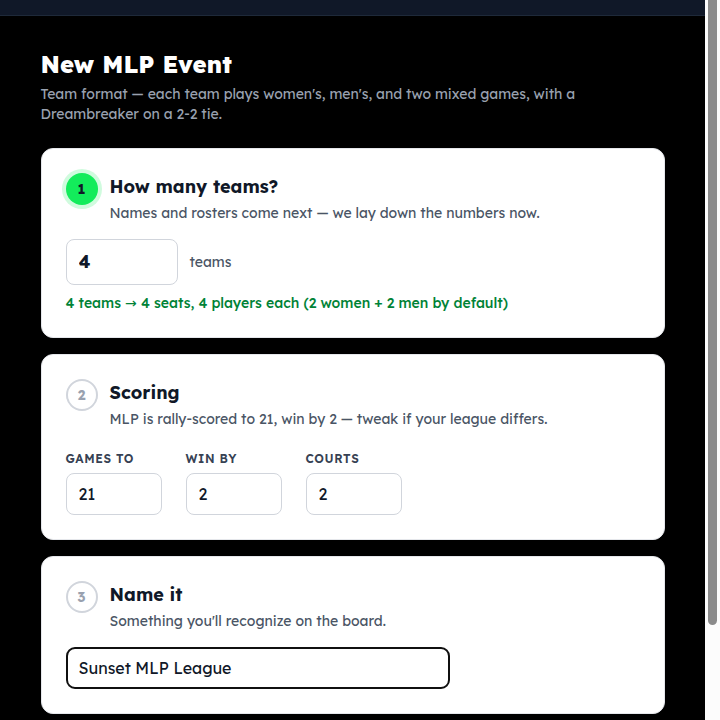
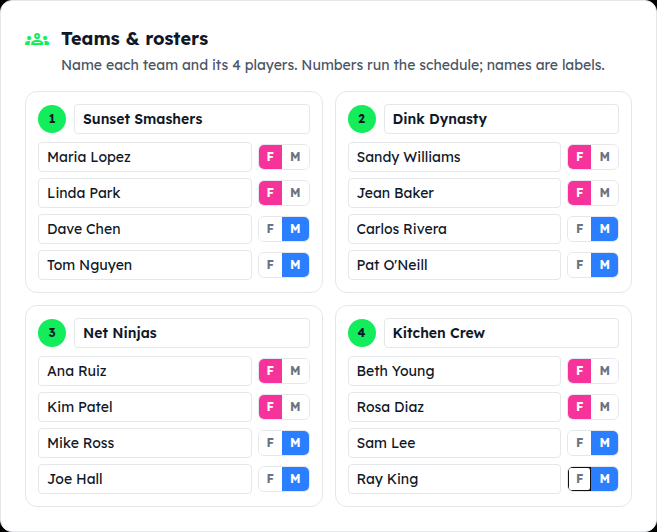
Teams & rosters
Name each team and type its four players. The F / M toggle on each player is what the lineup pickers use — women's doubles only offers the F players, men's the M, mixed one of each. Seats run the schedule, so a spelling fix never breaks anything.
Team count wrong? Number of teams → Update teams any time before the first result. An odd count gives one team a bye each round.
2. Schedule: rounds, league nights, player page
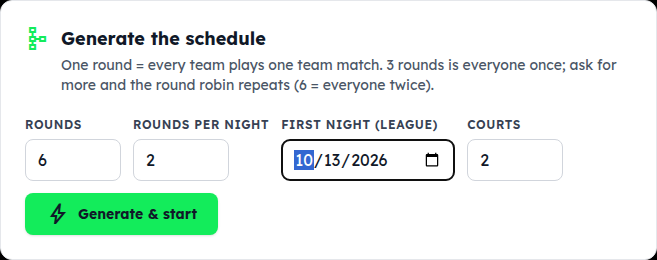
Rounds, rounds per night, first night
One round = every team plays one team match. With four teams, 3 rounds is everyone once; ask for 6 and the round robin repeats. For a league, set rounds per night (two is common — each team plays twice a night) and the first night; the app spaces the rest a week apart. For a one-day event leave those alone. Tap Generate & start.
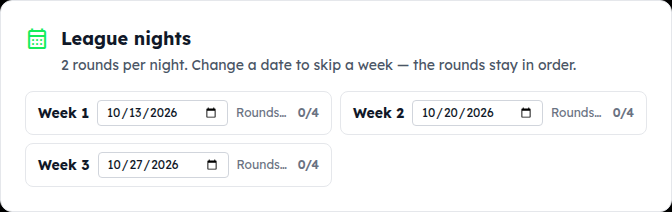
League nights
Each week shows its date and how many of its rounds are done. Skipping a week for a holiday? Change the date — the rounds stay in order. The round tabs below are grouped by week (Wk 2 · Round 3) and the page opens on the first unplayed round.
Share the player page
Copy link and send it to the teams: schedule, scores, standings and rosters, no sign-in, updating as you score.

3. Run a night: courts, lineups, scores
Put the round's matches on courts
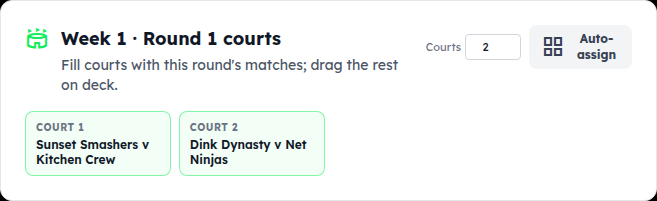
Open the round's tab. Auto-assign fills the courts with this round's team matches; the rest wait on deck. Each match card also has its own On deck / Court dropdown if you'd rather place them by hand. A team match stays on one court for all four games.
Lineups and scores, game by game
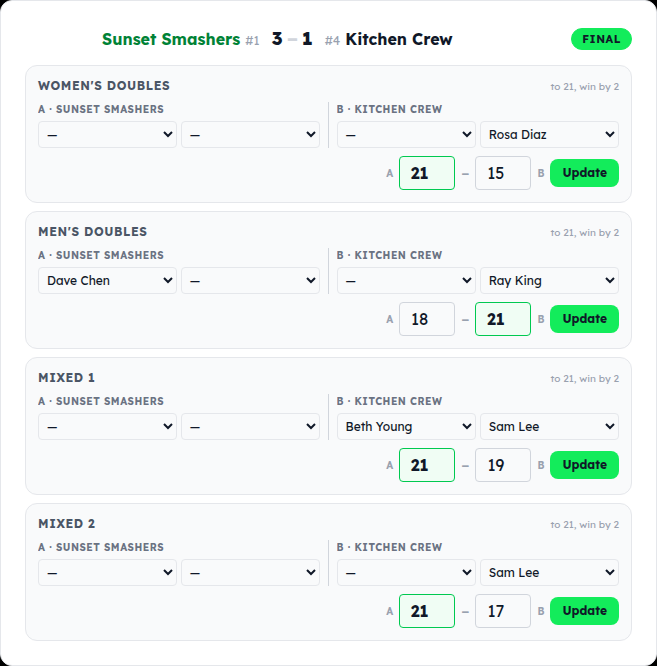
On the match card, each game has pickers for the two pairs — choose who's playing — then the score boxes and Save. The card keeps the running game count (2–1, 3–1 …) and shows FINAL when a team reaches three. At 2–2 a Dreambreaker row appears for the deciding game. A saved game shows Update for corrections.
Lineups matter beyond the night: they're what the per-player records on the player page are built from.
Standings
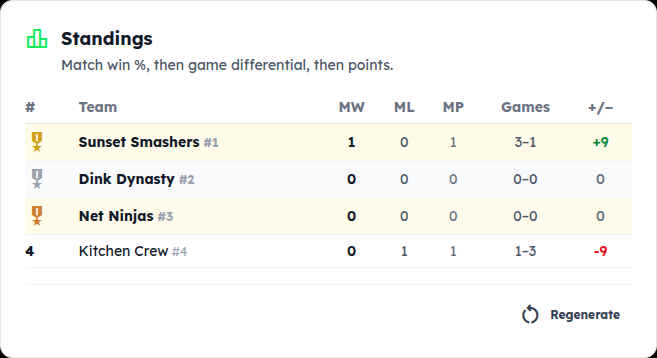
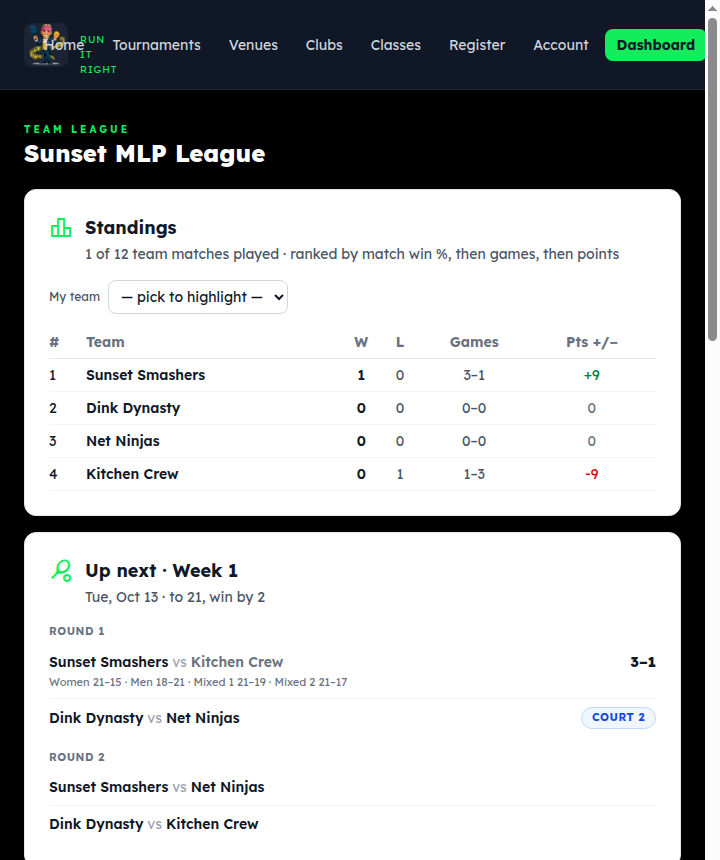
Ranked by match win %, then game differential, then points. In a league this is the regular-season table; it updates after every saved game and is the same table players see.
4. Subs for a night
A sub for one night
Someone can't make week 3? On the roster, tap the swap_horiz next to their name: the sub takes their roster spot for that night's rounds only, and the regular player is back automatically the next week. The player page shows “Sam (sub for Alex)” so records stay honest. Tap it again to pick a different sub, or cancel the sub to put the regular back.
Rosters are four players; there is no bench beyond night-by-night subs.
5. Finals night & what teams see
Make the last week the finals
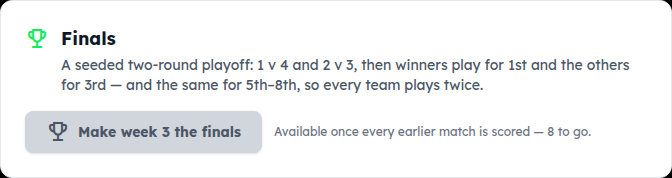
Once every regular-season match is scored, Make week N the finals turns the last night into a seeded playoff in brackets of four: 1 v 4 and 2 v 3, then the winners play for 1st and the others for 3rd — and 5 v 8, 6 v 7 likewise — so every team plays twice. It replaces that week's unplayed rounds; the regular-season table is frozen as the seeding.
What the teams see
The player page: standings (tap My team to highlight yours), what's up next with the date, every match's game-by-game scores, rosters and player records. It's the link from step 5 — pin it in the team chat.
Something not covered? Contact support or go back to the guide home.